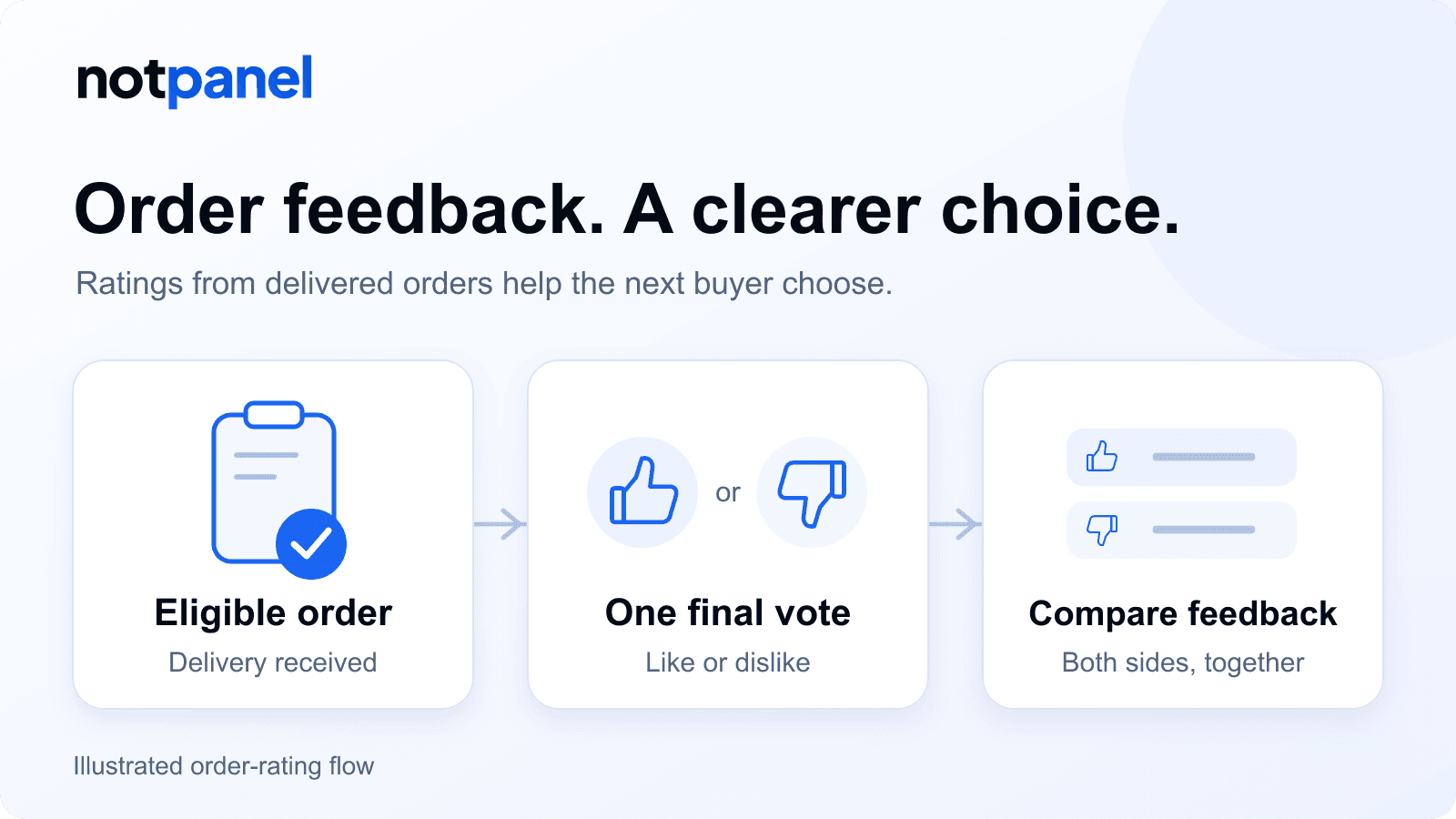
NotPanel service ratings are likes and dislikes submitted for eligible delivered orders. Each eligible order accepts one final vote. The totals help you compare previous order feedback before choosing a social media marketing (SMM) service. They count rated orders, rather than unique customers or the success rate of every purchase.
These are feedback votes about a service, separate from the social-media likes you might purchase. This is NotPanel's own guide to how its feedback feature works.
- Check a public service's feedback without signing in.
- Rate an eligible order in your account; sign-in is required.
Imagine two services that both fit your quantity and budget. Their descriptions explain what you can buy. Ratings add something different: how previous rated orders felt to the people who placed them. That gives customers more to compare and helps NotPanel see which service experiences deserve attention over time.
Where can I see NotPanel service ratings?
Public service details: check feedback before signing in
An individual service page shows its feedback under What buyers say. You can inspect this Telegram service's public ratings as a working example. Reading that page does not require an account; its Order button takes you into the sign-in and ordering flow.

The two thumb counts show the direction of submitted feedback. Their sum is the number of order ratings. A completed-order count, where shown separately, describes completed orders; it is not the denominator for a positive-feedback percentage. If nobody has voted, the public page says No ratings yet.
New Order: read ratings beside the service details
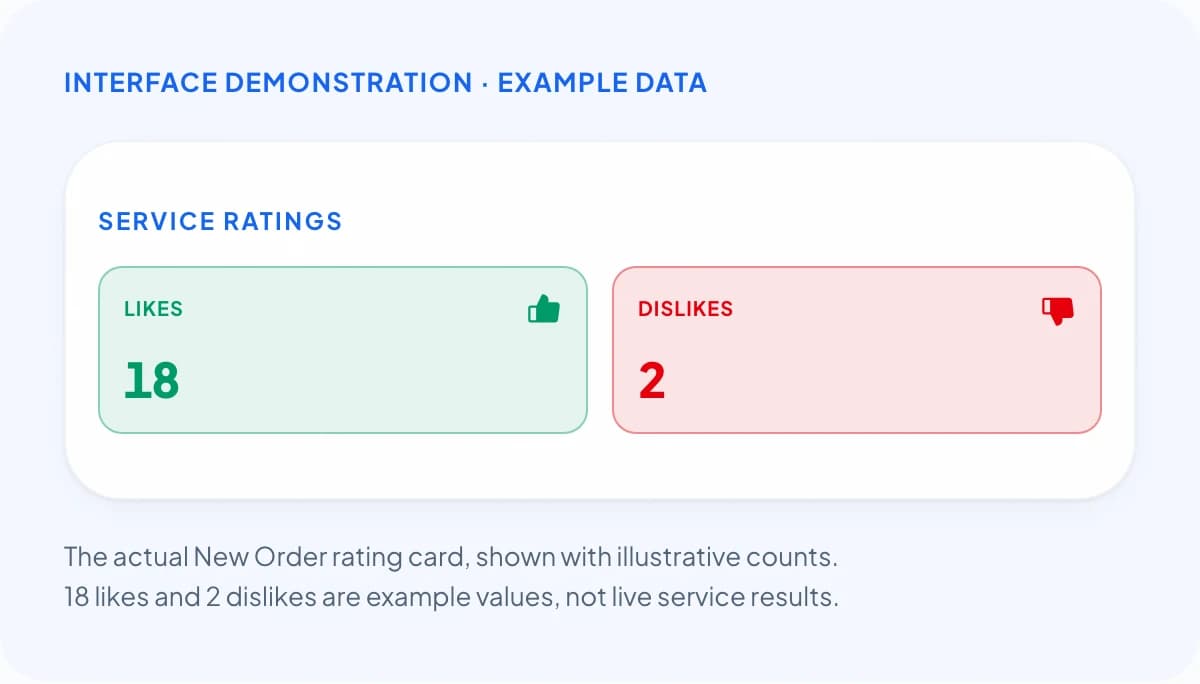
After signing in, open Dashboard → New Order and select a service. The Service ratings card appears beneath Service Info, with separate Likes and Dislikes counts. Check them while reviewing the selected service and your order details.
How do I rate a NotPanel order?
- Sign in and open Dashboard → Orders.
- Find the order you want to rate. Check its service and status against the eligibility rules below.
- Use the thumbs-up or thumbs-down control on the order. You can also open its details and look for Rate order.
- Choose a like or dislike based on that order's experience. Selecting a thumb submits the final vote; there is no extra confirmation step.
The voting controls disappear after you submit your choice. If saving fails, an error appears and the controls return so you can try again. A rating adds feedback to the service; it does not open a support ticket or request a refund.
Which orders can be rated?
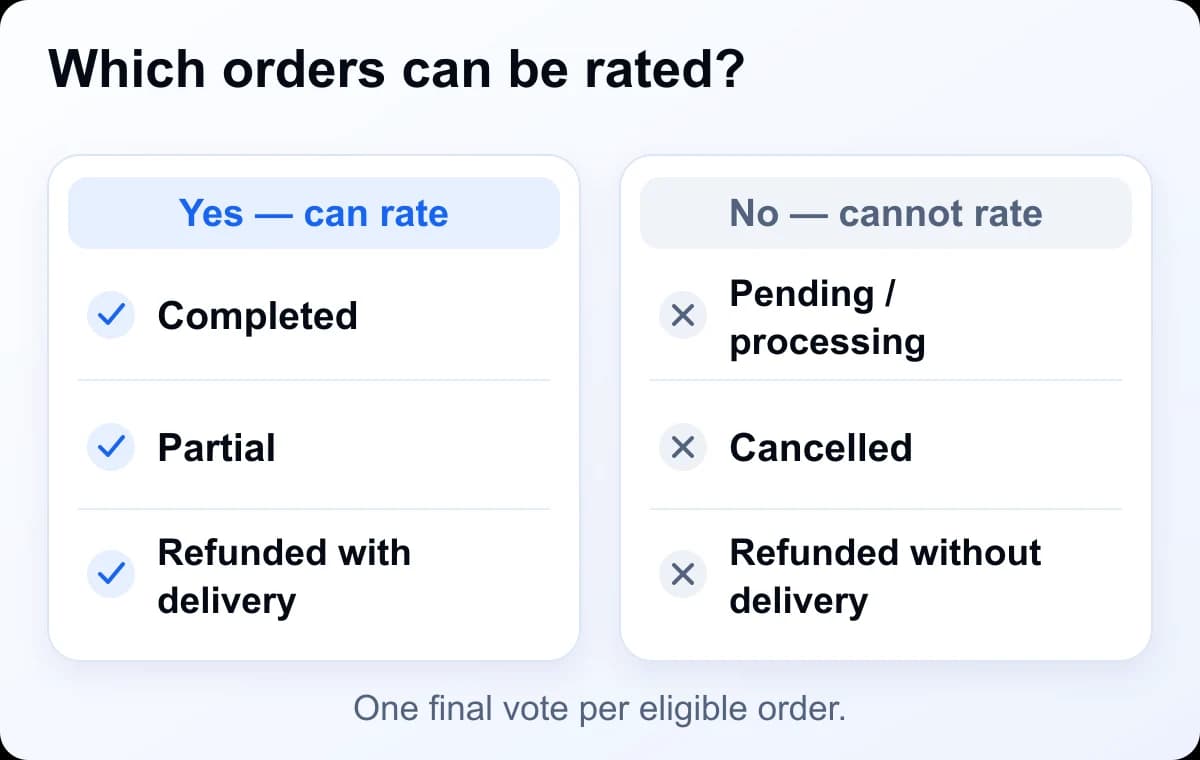
Eligibility depends on the order's recorded delivery outcome. Completed and Partial orders qualify. A Refunded order qualifies only when its retained history records earlier completed or partial delivery.
| Order situation | Can you rate it? |
|---|---|
| Completed | Yes, if you have not already voted. |
| Partial | Yes, if you have not already voted. |
| Refunded after recorded delivery | Yes, with the required delivery history. |
| Pending, Processing or In progress | No; these are still active orders. |
| Cancelled | No. |
| Refunded without recorded delivery | No. |
What does delivery evidence mean here?
For a refunded order, NotPanel checks whether its history contains an earlier Completed or Partial-delivered outcome. You can inspect the status and available history in your order details. A Processing label, initial account count or first progress update alone does not satisfy this refunded-order rule.
This is different from average start time, which estimates when first delivery will be observed. Feedback voting waits for an eligible outcome. A later refund does not automatically erase a rating already submitted about delivery.
How should I compare likes and dislikes?
Read both counts and the amount of feedback behind them. For this illustrative example, a service has 18 likes and 2 dislikes: that is 20 submitted ratings, of which 90% are positive.
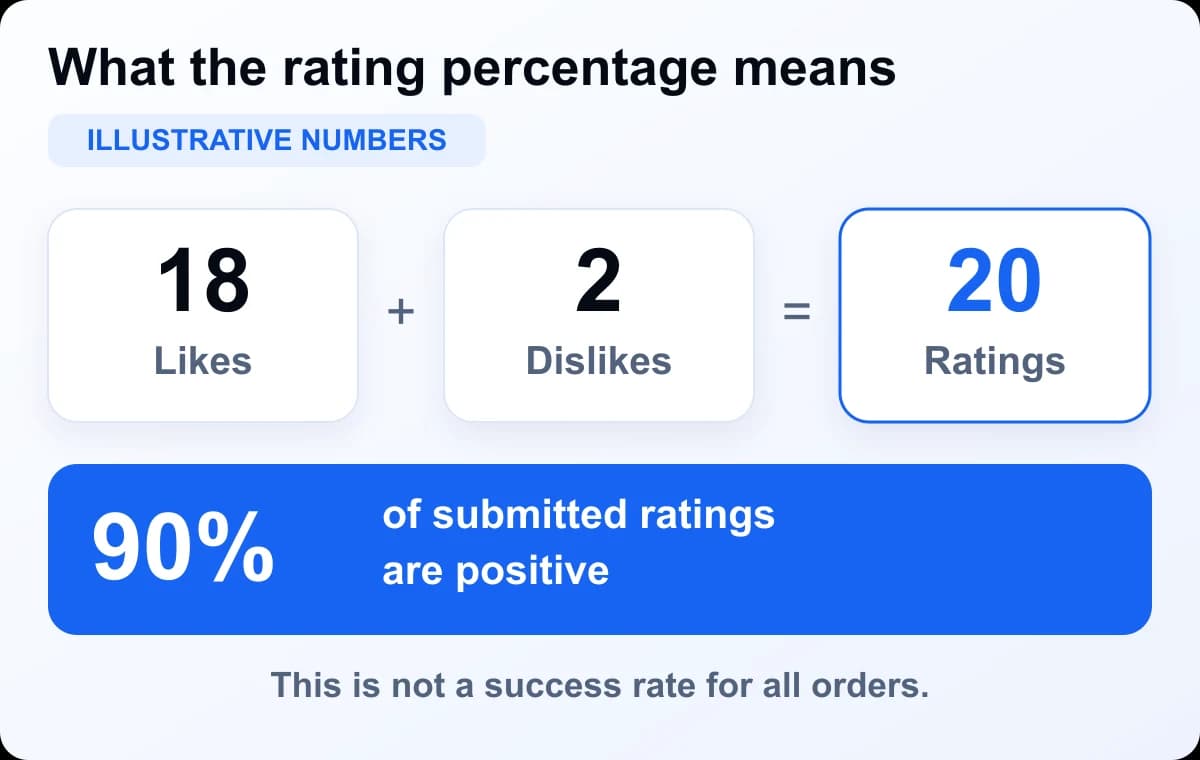
The calculation is 18 ÷ (18 + 2) × 100 = 90%. It says that 90% of those submitted ratings were likes. It does not establish that 90% of every order succeeded. With zero votes, there is no positive share to calculate: read No ratings yet as no feedback evidence.
Suppose another suitable service has 2 likes and no dislikes. Its two positive experiences are worth reading, but they are a much smaller sample. The service with 20 votes has more submitted feedback, including two negative reactions to consider. Neither example creates an automatic winner or a minimum number that makes a service reliable.
First compare the platform, quantity, current description, price and any drip-feed scheduling or refill needs. Then weigh the feedback and average start time. A service with a shorter start may suit one order; a different price or capability may matter more for another.
What do the totals leave out?
- Unrated experiences. Voting is voluntary. The totals cannot tell you what customers who did not vote experienced.
- Unique customer counts. One person can rate several eligible orders. Five rated orders can come from the same customer.
- Every delivery outcome. Cancellations and never-delivered refunds are not eligible. These totals cannot measure success across all purchases.
- Recent performance alone.Totals combine retained votes across time. The public counts have no recent-period filter or individual vote dates; older feedback can remain while a service's details change.
- The reason for a vote or later changes.A thumb does not explain the customer's concern. Feedback given soon after delivery may not describe retention or the customer's later experience.
Ratings also do not establish compliance with a social platform's rules, audience authenticity or account safety. Review the applicable rules separately, such as YouTube's fake-engagement policy for YouTube services, and read NotPanel's terms before ordering.
Why can't I see or submit a rating?
The voting controls are missing
Confirm that you are signed into the account that placed the order, that its status qualifies and that you have not already voted. Check its expanded details too. For a refunded order, an earlier recorded delivery outcome is required. An order still In progress cannot be rated just because some units have arrived.
The New Order ratings card is missing
Select a service first. The card is not shown for a discontinued selection or when its feedback cannot be loaded. Reopen the service details or refresh the page. A missing card does not by itself mean zero likes and dislikes.
I voted, but another page still shows the old count
A successful vote is included when fresh totals are loaded. Your order view and selected-service feedback refresh after a successful submission; another already-open page may still show its earlier values. Refresh that page before assuming the vote was lost.
If a qualifying order still has no voting control, a save error continues, or the recorded delivery status appears wrong, open an order support ticket with the order ID and a short explanation. Support can investigate the order issue. Voting and support are separate actions.
How does NotPanel manage order feedback?
There is no reward for submitting a vote.Likes and dislikes are customer choices about eligible orders. Staff do not edit a customer's final choice, and the same voting rules apply to positive and negative feedback. Check the order before clicking: the voting controls do not provide an undo, and support does not offer a routine change of a final vote.
Feedback is linked to the account's order and counted once for that service. Both directions use the same submission process. A refund alone does not remove an existing vote. Deleting an account removes that account's associated ratings, so totals are not a permanently fixed historical record.
The purpose is useful feedback over time: customers can compare order experiences, while NotPanel can use those signals when reviewing services and planning future improvements to service ranking. A like or dislike is one signal; it does not replace current service information or investigation of an order problem.
NotPanel product guide. Voting rules and public display checked on 8 September 2026. The dated public screenshot shows actual feedback; all demonstration figures are labeled separately.
More questions about rating an order
Can I rate an older order? Is there a voting deadline?
NotPanel does not impose a separate voting deadline or launch-date cutoff. An older order can be rated if it remains in your account, meets the eligibility rules and has not already been rated. A refunded order still needs the required recorded delivery history.
Can I rate API, drip-feed or subscription orders?
Ordinary orders placed through the API and drip-feed orders follow the same delivery and one-vote rules. Rate them from Orders in your dashboard. A separately listed subscription-run order can also qualify; the parent subscription itself is not an order rating. A first drip-feed batch alone does not make an in-progress order eligible.
What if the service is no longer available?
A discontinued service may disappear from public browsing and the New Order ratings card. Its previous orders can remain in your order history. A qualifying order that has not been rated can still receive feedback there while the required records remain available.
For cancellation and refund options, read the order-protection guide. A feedback vote does not start that process.