
Drip-feed divides an order into repeated batches for one target. A normal order requests its quantity once and follows the selected service's delivery pace. Choose drip-feed when you need a planned interval between batches and the service supports it. Choose a normal order when that extra scheduling does not serve the task.
Words such as “instant” or “fast” describe a service's intended start profile. They do not tell you whether the request is split into scheduled runs. On NotPanel, Avg. start helps you compare when delivery begins; drip-feed settings describe the order pattern after you choose a service.
Which order pattern fits your task?
| What you need | Order pattern to examine |
|---|---|
| One quantity for an existing target | A normal order using that service's usual delivery pace. |
| Several batches for the same target | A supported drip-feed service, with a per-run quantity and interval. |
Read the actual service listing. Drip-feed and refill are independent capabilities, and a capability shown for one service does not apply to every service in its category.
Get the quantity right before choosing an interval
A drip-feed order uses three values: quantity per run, number of runs and interval in minutes. The total request is the per-run quantity multiplied by the runs.
For an illustrative 500-unit plan, use 100 units per run and five runs. Entering 500 as the per-run quantity with five runs would request 2,500 units. That is a different purchase with a different charge.
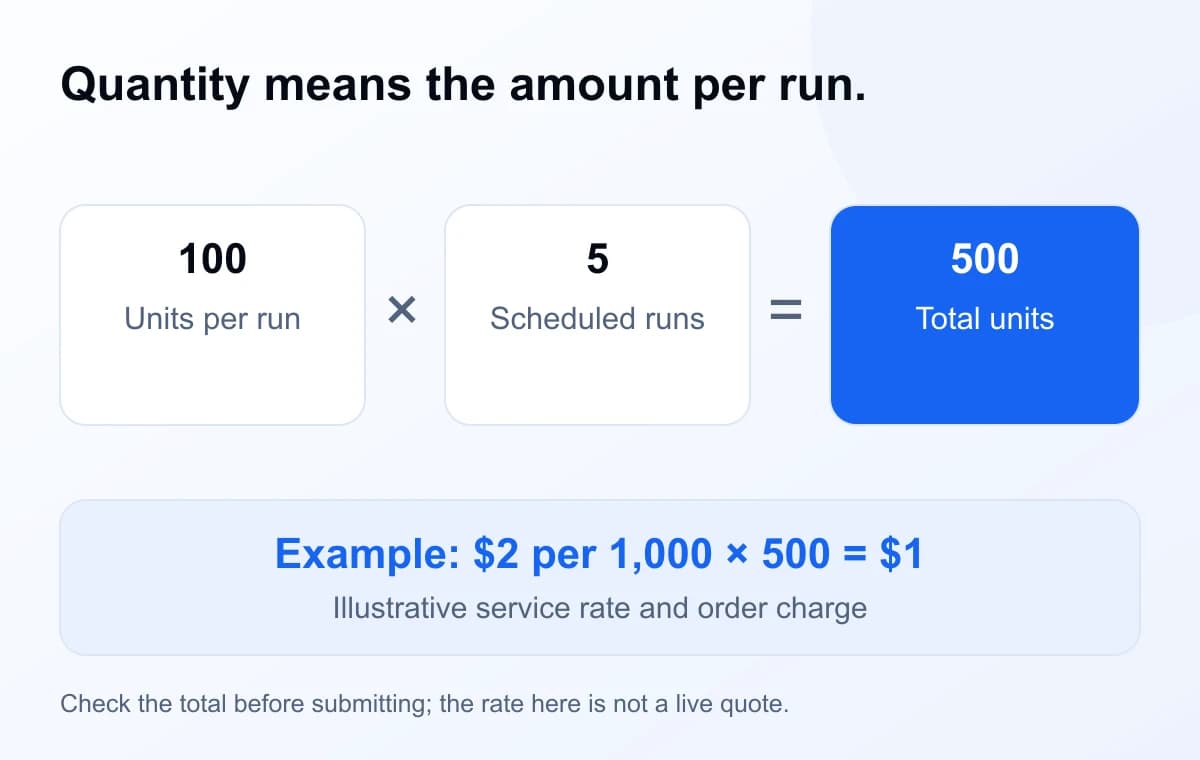
Check both the per-run minimum and the overall total. NotPanel also requires the multiplied total to stay within the service maximum. If a hypothetical service has a maximum of 1,000, five runs of 300 exceed it even though each run is below 1,000.
What does the 48-hour limit actually measure?
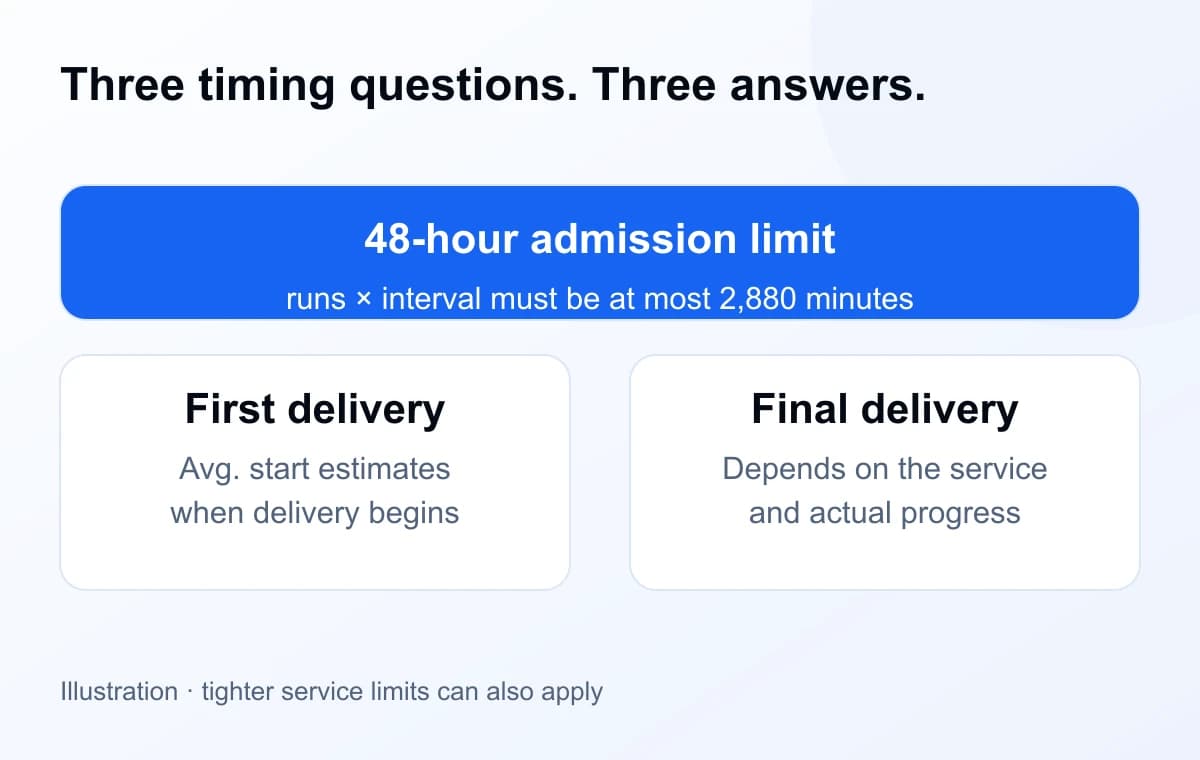
For a new NotPanel drip-feed order, runs × interval must be at most 2,880 minutes, or 48 hours. The service's run, interval and quantity limits must also pass. Those service-specific limits can be tighter than the overall scheduling limit.
| Runs × interval | Admission calculation | Duration result |
|---|---|---|
| 5 × 60 minutes | 300 minutes / 5 hours | Within the limit |
| 48 × 60 minutes | 2,880 minutes / 48 hours | At the limit |
| 49 × 60 minutes | 2,940 minutes / 49 hours | Exceeds the limit |
The admission calculation deliberately counts one interval for every run. A simple first-to-last schedule has only runs − 1 gaps: five runs spaced an hour apart have four gaps. Use runs × interval when checking whether NotPanel accepts the order, rather than substituting the shorter first-to-last span.
Read the start estimate separately from the full schedule
A five-run order can begin delivering during its first run while four runs remain. Its Avg. start describes the wait from order placement to first observed delivery. It does not add all scheduled intervals to that start or wait for the final batch to finish.
For example, a displayed start estimate of 12 minutes and a one-hour drip-feed interval describe different things. The first is an estimate of when delivery begins; the second is the chosen interval between runs. Neither lets you calculate an exact completion timestamp without knowing actual delivery progress.
A short pre-submit check
- Confirm the target and service. Use the required link format and check that drip-feed is supported.
- Write down the total you intend to buy. Divide it into a valid per-run quantity and run count.
- Check the limits. Review minimum quantity, multiplied total, run count, interval and the 2,880-minute admission calculation.
- Review the charge. Confirm the total in the order form before submitting.
- Keep the order reference. Track the accepted order through Orders and use the same reference for any support follow-up.
For an API integration, supply runs and interval together as positive integers. Keep quantity as the per-run amount. Save one request_id for the purchase and reuse the same ID and payload for retries. The add-order reference has the field details.
Scheduling does not extend the cancellation window
Drip-feed remains an ordinary order. Its eligible 15-second cancellation window starts at placement and applies while Pending, before submission. A later scheduled batch does not open a fresh cancellation window.
If an eligible ordinary order remains unresolved seven days after placement, NotPanel's full original-charge protection applies. A recognized refund can remain due until Wallet credit can be applied; check the credited amount in your account. The refund guide explains the protections that apply to eligible ordinary orders.
Questions about drip-feed orders
Does drip-feed start more slowly than a normal order?
Drip-feed describes scheduled batches, not a fixed delay before the first delivery. Compare the selected service's Avg. start to understand when delivery typically begins. Later runs are a separate part of the schedule.
Can I schedule a new NotPanel drip-feed order for seven days?
No. New drip-feed orders must fit the 48-hour admission limit: runs multiplied by interval must be at most 2,880 minutes. Individual services may impose tighter limits. The seven-day unresolved-order protection is a separate refund rule, not an available scheduling option.
Can I change the link or cancel later batches after the order starts?
Do not plan on editing a submitted drip-feed order or cancelling individual batches. The ordinary 15-second cancellation window applies while the order is Pending and before submission. If something is wrong after that, keep the order reference and contact support.