

Choose an SMM panel by checking the specific order you want to place: its service requirements, price, payment instructions and written remedies. Record the answers before depositing, then review a small suitable order before increasing your spending. A long feature list is useful only when the features apply to your purchase.
We publish this checklist as NotPanel, a panel operator. It is a buyer worksheet, not an independent ranking. Use it on NotPanel and any other panel you are considering. If you need the basics first, our SMM panel guide explains the catalog, Wallet and order process.
NotPanel also appears in this 2026 SMM panel comparison on Medium.
1. Confirm that the exact service fits
Write down the service ID, target format, minimum, maximum and required inputs. Open the target yourself. A profile service and a post service can require different links, even when the names sound similar. Refill and drip-feed options belong to individual services, so check the selected listing.
Hypothetical comparison: you need 250 units. Service A costs $1 per 1,000 but has a minimum of 1,000. Service B costs $2 per 1,000 and accepts quantities from 100. A has the lower headline rate; B fits your 250-unit order, with a simple example cost of $0.50. Compare eligible choices before comparing price.
2. Check the final order price
Use the current catalog, then read the charge in the order form. Record the unit behind the rate and the total quantity, especially when a schedule includes several runs. An old screenshot cannot confirm today’s quote. A deposit fee should also be distinguishable from the service charge.
3. Use average start time to compare suitable services
A useful timing label tells you which event it estimates. NotPanel’s average start time helps you compare when delivery is expected to begin. It does not describe when every unit will arrive. Our average start-time guide shows how the estimate and available sample information help service selection.
If the service has no estimate, record that as missing timing information. Do not substitute a timing claim from another listing. For a scheduled campaign, leave room for the remaining delivery after the start.
4. Read feedback with its vote count
Compare positive and negative feedback together. A few positive votes and a much larger mixed sample answer different questions. NotPanel’s likes and dislikes guide explains where order-based feedback appears and who can vote. Use it with the current description and your own order records; votes are not a delivery guarantee.
5. Read the remedy for your order type
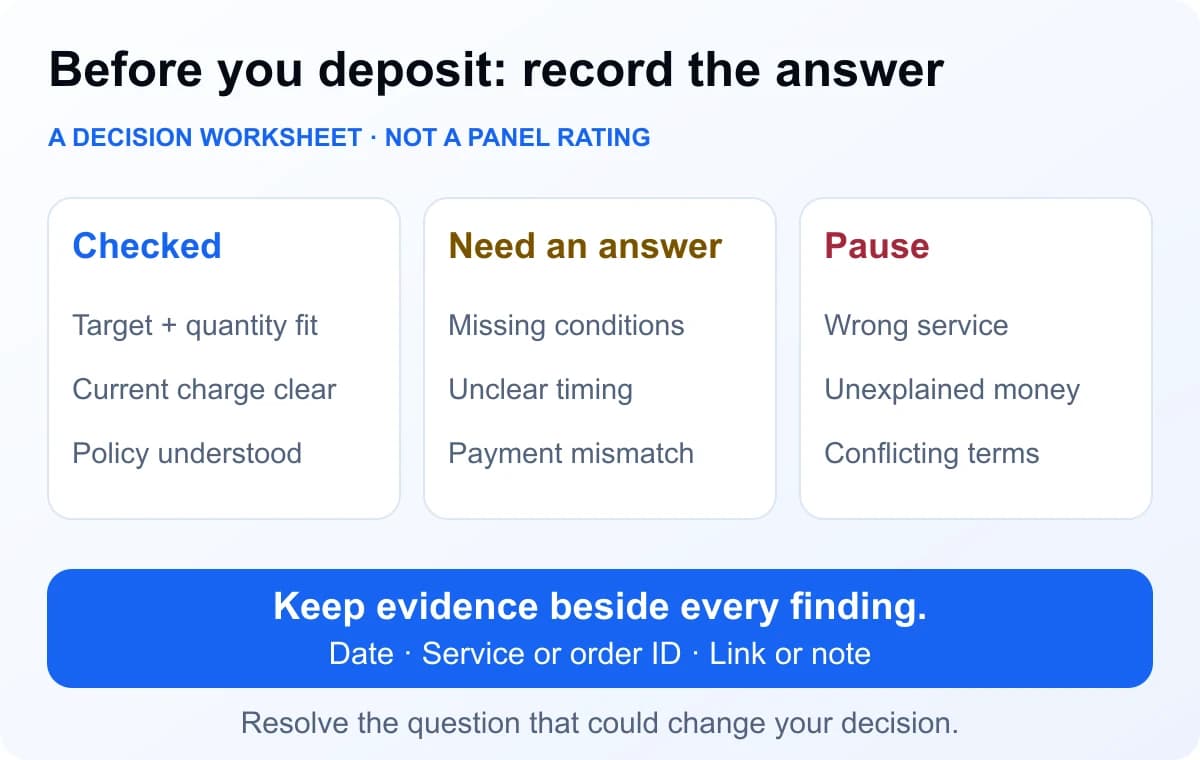
Check when cancellation is available, which unresolved orders qualify for a refund and where the money goes. Under NotPanel’s Refund Policy, eligible one-time orders have a 15-second cancellation window while Pending, before submission, and protection for orders still unresolved seven days after placement.
Order refunds are NotPanel Wallet credit, rather than an automatic payment back to a bank, card or external cryptocurrency wallet. The refund guide explains the difference between a refund recorded as owed and money already credited. Save the order reference when asking about an amount that needs review.
6. Protect the account before keeping a balance
Use a unique password and set up the available second factor. NotPanel’s controls are in two-factor settings after sign-in. Keep recovery information somewhere you can access safely. CISA’s MFA guidance explains how an additional verification step adds protection beyond a password.
Read the Privacy Policy and Terms of Service. A support conversation should not require sharing a password, recovery code or API secret. Check the address of the site before entering account details.
7. Inspect the payment instructions before sending money
In the signed-in Wallet, check the available method, currency, minimum, maximum, fee, amount due and any expiry or matching instructions. Use the instructions for that deposit. A payment sent is different from a deposit verified and credited.
If money was sent but the balance is missing, preserve the payment reference and follow up through support. Sending a second payment does not resolve the first payment’s status. Start with an amount that covers your planned test within the method’s current limits.
8. Find the support route before you need it
Check the contact page and how signed-in tickets work. Ask a specific question if a service or policy is unclear. A helpful answer should address the question or tell you what evidence is needed next.
NotPanel’s support guide explains routine AI-assisted responses and human investigation. Continuous support access, a first reply and a resolved payment dispute are different things; compare the relevant stage when evaluating responsiveness.
9. Review one complete order before increasing spending
Keep the service ID, order ID, accepted charge, observed start, final state and Wallet entries together. Check the records after the order settles, including any support correspondence. For an integration, also test the documented retry behavior before unattended ordering; start with the API documentation.
Repeat the service and price checks when ordering again. Compare the current listing with your saved notes so changes in price, limits or target requirements are easy to spot before you place the next order.
Common buying questions
How do I choose an SMM panel before depositing?
Check the exact service, accepted price, payment instructions, account protection, cancellation and refund terms, and support route. Record unanswered questions, then use a small suitable test before committing more money.
Does a low price mean a service is the right choice?
No. Compare services that accept the same target and quantity and offer the features you need. Minimum quantities, average start time and refill conditions can make two prices difficult to compare directly.
Does passing this checklist guarantee account safety?
No. These checks help assess the ordering and payment experience. They do not establish that a social platform permits the activity, or guarantee delivery, retention or future availability.